
Quick Take
The best SD card for the DJI Osmo 360 and 360 II is the Kingston Canvas Go! Plus, the only card DJI lists for both cameras in every size. A good V30 card handles even the 360 II’s 8K at 60fps, and 256GB is plenty for most people. DJI’s other pick, the faster Lexar Professional Silver Plus, is best bought in 512GB for the original Osmo 360.
The DJI Osmo 360 and the new Osmo 360 II record huge 8K files, and the wrong microSD card can stop a recording halfway through. On the 360 II, a basic card runs much closer to its limit than most people think. Picking the best SD card for the DJI Osmo 360 is still easy once you know DJI’s very short list. Here’s what to buy.

The Only Two Cards DJI Recommends
For both cameras, DJI lists just two microSD cards: the Kingston Canvas Go! Plus and the Lexar Professional Silver Plus, both V30, in sizes from 64GB to 1TB. The catch is the original Osmo 360, where DJI lists the Lexar only in 64GB, 512GB and 1TB, not 128GB or 256GB. The Kingston is listed in every size for both.
A card that isn’t on the list can still work fine. I’ve been using SanDisk Extreme and Extreme PRO cards for years in pretty much all my cameras, including my Osmo 360, and they’ve worked fine for me. But plenty of Osmo 360 owners ask whether V30 is even fast enough for 8K, and on the 360 II that’s a fair question.
Is a V30 Card Fast Enough for 8K?
Both cameras need at least a V30 card, which means it should never write slower than 30 MB/s. If the symbols on the label look like a code, here’s how SD card speed classes work.
The original Osmo 360 records at up to 170 Mbps, about 21 MB/s, so a V30 card has plenty of room. The 360 II shoots 8K at 60fps at up to 220 Mbps. That’s 27.5 MB/s, or over 90% of what a V30 label promises.
With a good card, V30 is still enough, because 30 MB/s is only the minimum. DJI’s two picks are rated to write at up to 150 MB/s (Lexar) and 90 MB/s (Kingston, 128GB and up), three to five times what the 360 II needs. The real risk is cheap or fake cards that barely reach their label, which on the 360 II can give you a speed warning or stop a clip halfway.
Do You Even Need a Card?
Both cameras have 128GB built in, with 105GB usable. At the highest bitrate, that’s about 1 hour 20 minutes on the original and just over an hour on the 360 II, so it’s a great backup but it fills up fast. The built-in storage and the card are separate, so check which one is selected in the storage settings before you start filming.
Personally, I like having a card in there anyway. When it’s full, I just swap it and keep going. For everything else that changed on the newer camera, here’s what’s new on the DJI Osmo 360 II.
What Size Card Should You Get?
At the highest bitrate, here’s roughly how long each size lasts:
- 256GB: about 3 hours 20 minutes on the original Osmo 360, about 2.5 hours on the 360 II
- 512GB: almost 7 hours on the original, about 5 hours on the 360 II
That’s the worst case, so in real use you’ll usually get a bit more. 256GB is fine for most people on a normal day. If you travel for a week without a laptop, or you shoot a lot of 8K, I’d go for 512GB. I’d also rather carry two smaller cards than one huge one, so a failed card doesn’t cost you the whole trip.
Best SD Card for DJI Osmo 360 and 360 II: My Picks
If you want the simple pick, get the Kingston Canvas Go! Plus. With DJI listing it for both cameras in every size, you can’t really go wrong.
The Lexar Professional Silver Plus, which I already recommended for the DJI Pocket, is the faster of the two (up to 205 MB/s read vs the Kingston’s 170 MB/s), so those big 360 files copy to your computer quicker. For the original Osmo 360, get it in 512GB.
If you’re buying for other cameras too, here are the best SD cards for action cameras.
How to Spot a Fake SD Card
A fake card can look exactly like the real one but write slower than its label, or pretend to have more storage than it really has. At the time of writing, the biggest microSD card you can actually buy is 2TB, so a 4TB card for the price of a normal one is fake.
Test every new card before a trip with H2testw, a free tool for Windows, or F3 on a Mac. On a big card it can take a few hours, so I’d just leave it running overnight. And buy from the brand’s own store or a seller you trust. On Amazon, check who the card is actually sold by.
How to Fix the “Speed Slow” Warning on the Osmo 360
Back up your files, then format the card inside the camera, in the storage settings, not on your computer. If the warning comes back, test the card with one of those tools. If it fails, it’s probably fake, so send it back; if it passes and the warning stays, switch to one of the two cards on DJI’s list.
On the original Osmo 360 you can also switch the bitrate setting from high to standard for smaller files, but I’d only do that if you really have to.
Which SD Card Should You Get?
- Osmo 360 II: the Kingston or the Lexar, in 256GB or 512GB. I’d really stick to DJI’s list here, because this is the camera that pushes the card the hardest.
- Original Osmo 360: the Kingston in any size, or the Lexar in 512GB.
- Already own a SanDisk Extreme, Extreme PRO or another good V30 card: format it in the camera and record a couple of long clips at the highest quality. If you don’t get any warnings, you’re good to go.
Pick a card from DJI’s list, buy it from a seller you trust, and you won’t have to think about it again. If you’re still choosing between the 360 II and the Insta360 X6, I compared them in DJI Osmo 360 II vs Insta360 X6.
What SD card does DJI recommend for the Osmo 360?
DJI recommends two V30 microSD cards for both the Osmo 360 and the Osmo 360 II: the Kingston Canvas Go! Plus and the Lexar Professional Silver Plus. The Kingston is listed in every size from 64GB to 1TB. For the original Osmo 360, the Lexar is listed only in 64GB, 512GB and 1TB.
Is a V30 card fast enough for the Osmo 360 II’s 8K at 60fps?
Yes, if it’s a good card. The Osmo 360 II records at up to 220 Mbps, about 27.5 MB/s, which is over 90% of a V30 card’s 30 MB/s minimum. DJI’s two recommended cards are rated to write at up to 90 MB/s and 150 MB/s, so cheap or fake cards are the real risk.
What is the maximum SD card size for the DJI Osmo 360?
1TB, on both the Osmo 360 and the Osmo 360 II, so a 2TB card is more than DJI supports. For most people 256GB covers a normal day of filming, and 512GB suits a week of travel without a laptop.
How do I fix the “SD card writing speed slow” warning on the Osmo 360?
Back up your files, then format the card in the camera’s storage settings, not on a computer. If the warning comes back, test the card with H2testw (Windows) or F3 (Mac). If it fails, it’s probably fake; if it passes and the warning stays, switch to one of the two cards on DJI’s list.
Best SD Card for DJI Osmo 360: Gear Mentioned

- Lightning-Fast Transfers – Speeds up to 200MB/s let you quickly capture, edit, and...
- 4K Ultra-HD Ready – U3 and V30 speed ratings support smooth, uninterrupted 4K video...
- Optimized for Mobile Gaming & Consoles – A2 Application Performance Class ensures...


- 205MB/s max read speed expedites transfers and reduces wait times
- 150MB/s max write speed ensures stutter-free videos
- Rated V30, it supports up to 4K 60FPS video recording to capture smooth, high-quality...
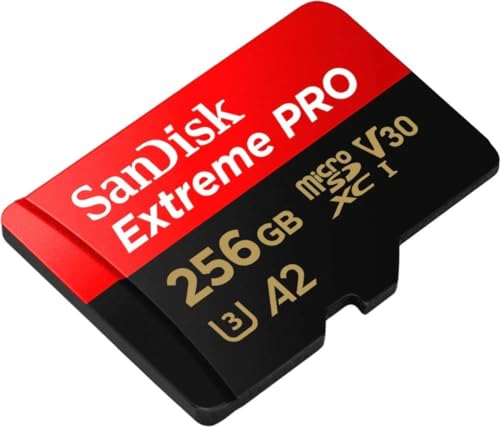
- Waterproof, shock and vibration proof, protected from airport x-rays, temperature...
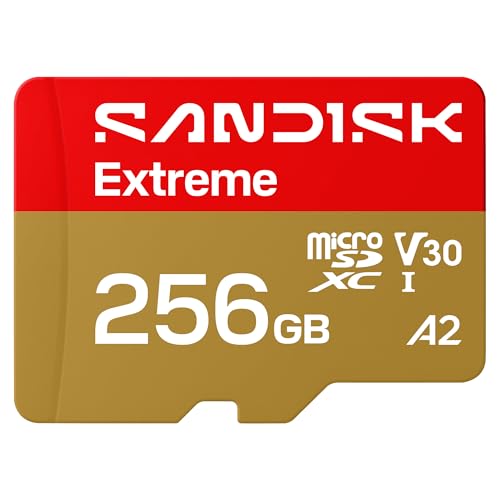
- CAPTURE LARGER THAN LIFE. Unlock startling 5K[3] point-of-view and pristine high-res...
- SPEED BARRIERS SHATTERED. Save precious moments with rapid read speeds up to...
- MAXIMIZE WITH MASSIVE CAPACITY. Record longer and store more with up to 2TB[1] of...
DJI Osmo 360 (first generation): check the current price on Amazon

