
Quick Take
The Osmo Nano cannot record to a microSD card — it records to internal storage only (48GB usable on the 64GB model, 107.6GB on the 128GB). The card slot is for exporting footage via the Vision Dock, so a fast-reading card like the SanDisk Extreme 245MB/s is the smart buy.
You can put a 1TB card in the DJI Osmo Nano and it still won’t record a single second of video to it. That surprises almost everyone, and it’s the reason a DJI Osmo Nano SD card guide needs to exist at all — because the card matters here, just not for the reason you think. Here’s how storage on this tiny camera actually works.

How Osmo Nano Storage Really Works
The Nano records everything to its internal storage. DJI sells two versions: a 64GB model with about 48GB usable, and a 128GB model with about 107.6GB usable. That’s it — no direct-to-card recording, which keeps the camera small and light enough to clip to a hat.
The microSD slot lives in the Vision Dock, and its job is offloading: you export finished footage from the camera’s internal storage onto a card (up to 1TB supported) to free up space without touching a laptop. On a trip, that means the card becomes your growing archive while the camera stays empty and ready.
Because of that split, my first recommendation isn’t a card at all: buy the 128GB Nano if you’re choosing between versions. Wearable cameras get used in long, unplanned stretches — that’s their whole magic — and the bigger internal buffer is worth more than any accessory.
Which DJI Osmo Nano SD Card to Buy
Since the card’s job is receiving exports rather than surviving 4K sustained writes, transfer speed and capacity matter more than heroic write ratings. DJI still recommends cards with at least 30MB/s writes, and these two cover the realistic use cases:
SanDisk Extreme (245MB/s) — fast archive card
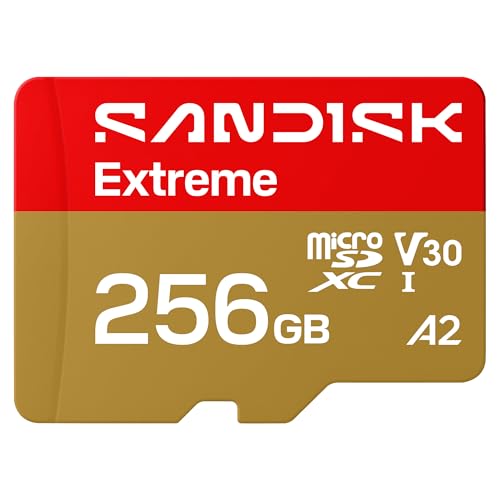
- CAPTURE LARGER THAN LIFE. Unlock startling 5K[3] point-of-view and pristine high-res...
- SPEED BARRIERS SHATTERED. Save precious moments with rapid read speeds up to...
- MAXIMIZE WITH MASSIVE CAPACITY. Record longer and store more with up to 2TB[1] of...

The 245MB/s read speed means moving that archive to your computer later is quick, and V30/A2 specs make it a card you can also use in any other camera you own — which, if your bag looks like mine, is half the point.
Samsung EVO Select — maximum gigabytes per dollar
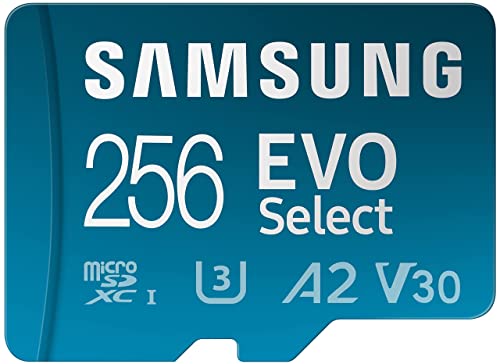
- ALL THE SPACE YOU NEED: Store tons of media on your phone, load games or download...
- FAST AND SMOOTH: With superfast U3, class 10 rated transfer speeds of up to...
- EXPAND AND STORE BIG: Find your perfect fit from 64GB, 128GB, 256GB and 512GB; Select...
For a card that mostly sits in the Vision Dock collecting exports, capacity per dollar is the winning metric, and the EVO Select owns it. Grab the biggest one your budget allows and stop thinking about storage for the rest of the trip.
The Workflow That Makes the Nano Shine
Shoot all day on internal storage. In the evening, drop the Nano on the Vision Dock, export the day’s clips to the card, and start tomorrow with a fresh camera. The internal storage empties, the card fills, and nothing needs a laptop until you’re home. Once I switched to this rhythm, the “only 48GB?!” worry disappeared completely.
Still deciding whether the Nano fits your setup at all? My Osmo Nano vs Action 6 comparison breaks down which one belongs on your helmet and which in your pocket.
FAQ
No. The Nano records only to its internal storage. The microSD card, inserted via the Vision Dock, is used to export and archive footage — it can’t be a recording target.
The 128GB if you can. Usable space is about 48GB vs 107.6GB, and since you can’t extend recording with a card, the internal capacity is the one storage decision that’s permanent.
Cards up to 1TB work for exports via the Vision Dock. DJI recommends cards with a minimum 30MB/s write speed; any genuine V30 card qualifies.
Export clips to the microSD card through the Vision Dock — no computer needed. The internal storage clears for the next day while the card holds your growing archive.
For every other camera in your kit — the ones that do record to cards — the full action camera SD card guide lists exactly what I run in each.

