
Quick Take
The Mission 1 has no internal storage, so the card is everything: GoPro requires V30 (UHS-3) with an A2 rating. I run the SanDisk Extreme PRO 256GB in mine — and for 8K60, go 512GB if you can.
Here’s the thing nobody tells you before buying GoPro’s new flagship: the Mission 1 Pro records at up to 240Mbps, which is 30MB/s — exactly the minimum sustained speed a V30 card guarantees. There is zero margin for a tired or fake card, and that’s why marginal cards that survived years in a Hero suddenly throw errors here. Choosing the best SD card for the GoPro Mission 1 is less about finding a fast card and more about avoiding a slow one. Let me make it simple.

Why the Mission 1 Is Harder on Cards Than Any Hero
Two reasons. First, unlike a phone or the new DJI pocket cameras, the Mission 1 and Mission 1 Pro have no built-in storage — every frame goes straight to the microSD card. Second, the Pro’s highest-bitrate mode writes 240Mbps continuously. A card that occasionally dips below 30MB/s — which is exactly what aging and counterfeit cards do — means stopped recordings and corrupted files at the worst moment.
GoPro’s official recommendation is a UHS-3 / V30 card with an A2 rating, and their compatibility list includes cards up to 1TB. Don’t overthink V60 or V90: the camera’s UHS-I interface can’t use the extra speed, so you’d be paying for numbers the Mission 1 never touches.
Best SD Card for GoPro Mission 1: My Picks
SanDisk Extreme PRO — the proven workhorse
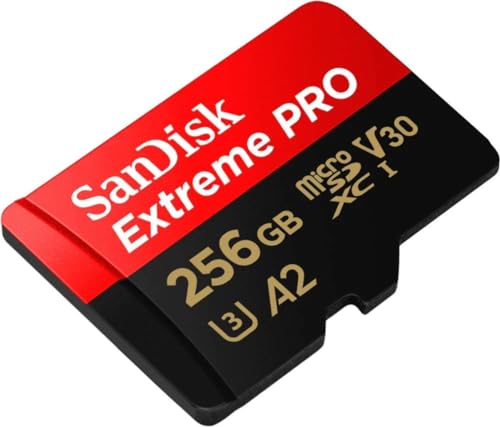
- Waterproof, shock and vibration proof, protected from airport x-rays, temperature...
The card I actually shoot with. V30, A2, and it has handled every 10-bit GP-Log 2 clip I’ve thrown at it since I got the Mission 1 Pro — including long 8K takes in summer heat, where cheap cards fail first. Boring and bulletproof.
SanDisk Extreme (245MB/s) — faster offloads, same reliability
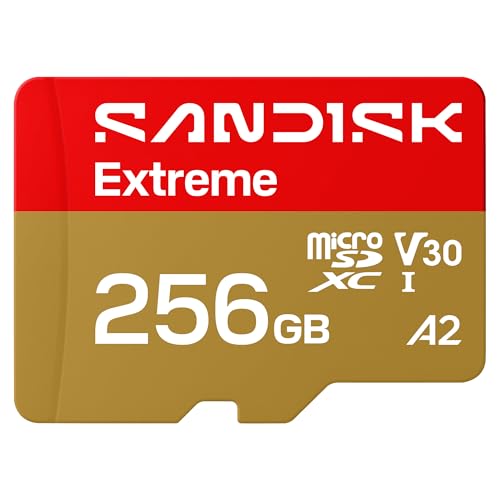
- CAPTURE LARGER THAN LIFE. Unlock startling 5K[3] point-of-view and pristine high-res...
- SPEED BARRIERS SHATTERED. Save precious moments with rapid read speeds up to...
- MAXIMIZE WITH MASSIVE CAPACITY. Record longer and store more with up to 2TB[1] of...

8K files are enormous, and this card’s 245MB/s read speed is the difference between a coffee-length offload and a lunch-length one. Recording performance matches the PRO. It’s the most popular card among ProjectGO readers this year for a reason.
Lexar Professional 1066x — the solid alternative
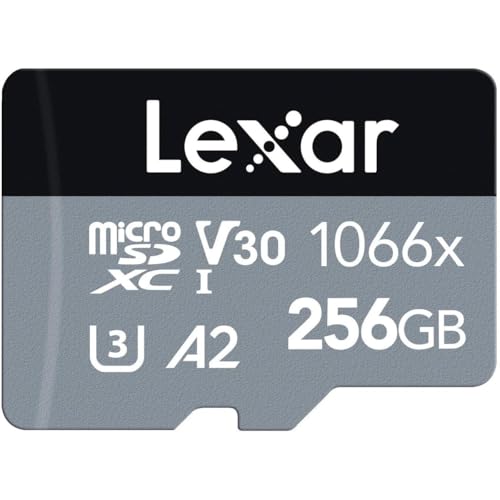
- Professional-level performance for action cameras, drones, Android smartphones...
- Leverages UHS-I technology to deliver read speeds up to 160MB/s
- Quickly capture high-quality images and extended lengths of Full-HD and 4K UHD with...
If SanDisk pricing spikes or stock runs dry, the Lexar 1066x is a genuine V30/A2 card that holds sustained writes reliably. I keep one as the permanent spare in my Mission 1 case.
What Size Card for 8K?
At 240Mbps you’re writing roughly 1.8GB per minute — call it 108GB per hour. A 256GB card gives you about 2.3 hours at maximum quality; 512GB stretches that to around 4.5 hours; 1TB to about 9. For a full shooting day at the Pro’s top settings, 512GB is the honest minimum. At standard 5.3K and 4K bitrates the same cards last several times longer, so the capacity question really depends on how often you’ll shoot 8K60.
And format the card in the camera before the first shoot. It takes ten seconds and prevents most of the mysterious “SD card error” messages people blame on the camera.
Deciding between GoPro’s two flagships first? My Mission 1 Pro vs Hero 13 comparison explains why most Hero owners shouldn’t upgrade yet — and who actually should.
FAQ
No. Both the Mission 1 and Mission 1 Pro record exclusively to microSD, so the camera is only as reliable as the card inside it. Budget for a good card as part of the camera’s price.
The Mission 1 Pro’s 240Mbps top bitrate sits right at the V30 minimum of 30MB/s sustained. Older, heavily-used, or counterfeit cards that can’t hold that speed will pass in a Hero at lower bitrates but fail here. A fresh, genuine V30/A2 card fixes it.
No. The Mission 1 uses a UHS-I interface, so a genuine V30 card meets the requirement and faster ratings bring no benefit in-camera. Spend the difference on capacity instead.
GoPro’s compatibility list includes 1TB microSD cards — about 9 hours at the Pro’s maximum 240Mbps bitrate, and far more at standard settings.
If you’re running a Hero 13 as your main or B-cam, my tested Hero 13 SD card picks cover that camera separately. The complete rundown for every camera lives in the action camera SD card guide.

