
Quick Take
The Insta360 X6, X5 and X4 all follow one rule: a UHS-I microSD card, V30 or faster, formatted exFAT, up to 1TB. Every card on Insta360’s own tested list is a SanDisk, so the best SD card for most Insta360 owners is the SanDisk Extreme PRO 256GB. Skip UHS-II cards (most V60 and V90 ones): Insta360 says they can stop the recording.
A lot of Insta360 owners get a “card speed is too slow” warning even with a card that’s supposed to work. Part of it is bad luck with fakes, but part of it is that the rules changed: the X6 records at up to 240 Mbps, which is exactly what a basic V30 card is guaranteed to handle, and the fastest-looking cards on Amazon are often the wrong type for these cameras. Choosing the best SD card for an Insta360 camera takes two minutes once you know what to look for. Here’s what actually matters.
What SD Card Does the Insta360 X6, X5 and X4 Need?
Insta360 publishes the same requirement for all three cameras: a microSD card rated UHS-I, V30 or higher, formatted as exFAT, and no bigger than 1TB. Cards above 1TB aren’t supported, and none of the three comes with a card in the box.
Where they differ is how hard they push the card:
- Insta360 X4: up to 200 Mbps (about 25 MB/s) in 8K30 with the bitrate set to High. No built-in storage, so it can’t record without a card.
- Insta360 X5: up to 180 Mbps (about 22.5 MB/s). No built-in storage either.
- Insta360 X6: Insta360 announced it at up to 240 Mbps, which is 30 MB/s, exactly the V30 minimum. It’s also the first X camera with built-in storage: 64GB, of which 47GB is usable, so under half an hour of video at the highest bitrate.
That V30 label is only a guaranteed minimum, though. A genuine SanDisk Extreme PRO is rated to write at up to 140 MB/s in 256GB and up, so a real card from a good brand has plenty of headroom, even on the X6. The cards that cause trouble are cheap or fake ones that barely reach the number printed on them.
The Cards Insta360 Actually Tested (All SanDisk)
Insta360 keeps a list of memory cards it tested with the X series, and every single one on it is a SanDisk Extreme or SanDisk Extreme PRO. No Samsung, no Lexar, no Kingston. That’s the opposite of DJI, whose list for the Osmo Action 6 and Osmo 360 doesn’t include SanDisk at all.
Insta360 also sells its own microSD card (128GB, 256GB and 512GB, V30, rated 90 MB/s read and write). It’s made for these cameras and works fine, but it usually costs more than a SanDisk, and on paper it isn’t faster.
Samsung and Lexar cards often work too, and plenty of owners use them. They’re just not on Insta360’s list, so if you’re buying a new card anyway, sticking to what Insta360 tested is the safer bet.
Best SD Card for Insta360 X6, X5 and X4: My Picks
Best overall: SanDisk Extreme PRO 256GB. It’s on Insta360’s tested list, it’s the faster of the two SanDisk cards (200 MB/s read, 140 MB/s write in 256GB and up), and 256GB covers a full day of 8K on any of the three cameras. These are the cards I use in my own X5. Go for the 512GB if you travel for weeks without a laptop.
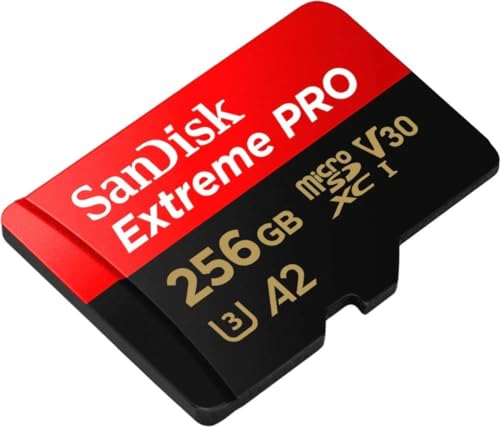
- Waterproof, shock and vibration proof, protected from airport x-rays, temperature...
Best value: SanDisk Extreme 256GB. Also on Insta360’s list, and a little cheaper. Get the 256GB or bigger: the smaller versions of both SanDisk cards are rated slower, and Insta360 says 32GB and 64GB cards are the ones most likely to trigger the slow-card warning.
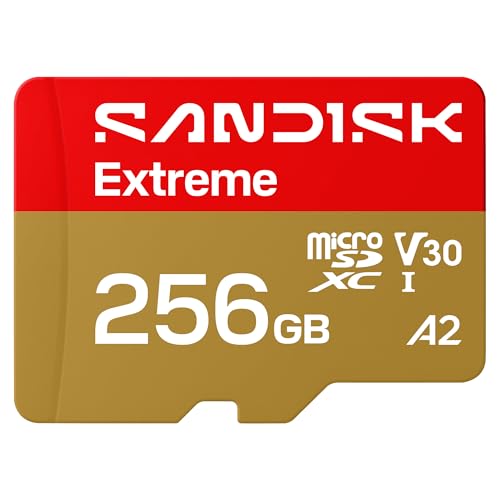
- CAPTURE LARGER THAN LIFE. Unlock startling 5K[3] point-of-view and pristine high-res...
- SPEED BARRIERS SHATTERED. Save precious moments with rapid read speeds up to...
- MAXIMIZE WITH MASSIVE CAPACITY. Record longer and store more with up to 2TB[1] of...
If you’re comparing these with the cards I recommend for other cameras, my guide to the best SD cards for action cameras covers GoPro, DJI and Insta360 side by side.
Don’t Buy V60 or V90 Cards for Your Insta360
When you shop for a card for an 8K camera, V60 and V90 cards look like the safe choice because they’re faster. But most of them are UHS-II cards, and Insta360’s manual is clear: don’t use UHS-II or UHS-III cards in the X6, X5 or X4, because compatibility issues can make the recording stop.
It’s one of the most common mistakes in the comments under Insta360 card videos: someone buys a UHS-III card thinking faster is better, it records for a few minutes, shuts off, and they assume the camera is broken.
On the card itself, look for a small Roman numeral I (that’s UHS-I), next to a V30 or a U3 mark. Those cards cost less, and they’re what these cameras are built for.
How Much Footage Fits on Each Card
At the highest bitrate, a 256GB card holds about:
- X4: almost 3 hours (8K30, High bitrate)
- X5: a bit over 3 hours
- X6: about 2 hours 20 minutes
A 512GB card doubles each of those. That’s the worst case, so in real use you’ll usually get more. For most people, 256GB is enough for a day of filming. And two 512GB cards cost about the same as one 1TB card, but if one fails or gets lost, you don’t lose your whole trip.
How to Fix “Card Speed Is Too Slow” on Insta360 X Cameras
If your camera stops with an insufficient card speed message, this is the order I’d go in, and it’s close to what Insta360 recommends:
- Update the camera’s firmware.
- Back up your files, then format the card in the camera, not on your computer.
- Run a low-level format. All three cameras have it next to the normal format option (X5 and X4: Settings → SD Card; X6: Storage Management).
- Test the card for fakes. On Windows use the free H2testw, on a Mac use F3. They check the whole card and tell you if it’s slower or smaller than it claims. If it fails, send it back and buy from the brand’s store or a seller you trust (on Amazon, check who it’s actually sold by).
- On the X4, switch the bitrate from High to Standard. Several owners say that’s what finally stopped the warning, but you lose some quality, so treat it as the last resort.
What About the X4 Air, X3 and ONE X2?
The same rule applies to the X4 Air: UHS-I, V30 or faster, exFAT, up to 1TB. Insta360 lists the X3 and ONE X2 at the same 1TB maximum. If you have one of the older models, I go through the cards for it in my Insta360 X3 SD card recommendations.
FAQ
1TB. Insta360 says cards larger than 1TB aren’t supported on the X5, and the same limit applies to the X6, X4 and X4 Air. For most people, 256GB or 512GB is the sweet spot.
Yes, if it’s a genuine card from a good brand. The X6 was announced at up to 240 Mbps, which is exactly the 30 MB/s a V30 card guarantees, but a real SanDisk Extreme PRO is rated to write at up to 140 MB/s. Cheap or fake cards that barely reach V30 are the ones that cause problems.
Insta360 says not to. Its manual for the X6, X5 and X4 warns that UHS-II and UHS-III cards can cause compatibility issues that stop the recording. Most V60 and V90 microSD cards are UHS-II, so stick to UHS-I cards rated V30.
It has 64GB of built-in storage, 47GB of it usable, which is under half an hour at the highest bitrate. It’s a good backup, but you’ll still want a microSD card. You choose whether it records to the built-in storage or the card in the storage settings.
Insta360’s tested list for the X series contains only SanDisk Extreme and SanDisk Extreme PRO cards. Insta360 also sells its own V30 microSD card in 128GB, 256GB and 512GB.

