
Quick Take
The Luna Ultra needs a UHS-I, V30 or faster microSD card, formatted exFAT, up to 1TB — and Insta360 officially warns against UHS-II cards. My pick is the SanDisk Extreme PRO 256GB, with the newer SanDisk Extreme 245MB/s as the faster-offload option.
The Luna Ultra records 8K30 Dolby Vision at 120Mbps, which works out to roughly a gigabyte of footage every minute. The built-in 47GB buys you about 50 minutes before the camera starts asking questions. So picking the best SD card for the Insta360 Luna Ultra isn’t optional — it’s the difference between filming your whole day and rationing clips by lunchtime. Here’s what actually works.
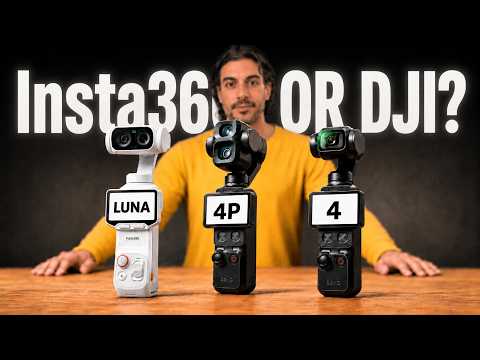
What the Luna Ultra Actually Requires
Insta360’s official requirements are simple: a UHS-I microSD card rated V30 or higher, formatted as exFAT, with a maximum capacity of 1TB. The V30 rating guarantees the card can sustain 30MB/s writes, and since the Luna Ultra’s top bitrate is 120Mbps — about 15MB/s — a proper V30 card handles it with room to spare.
The counterintuitive part: faster is not better here. Insta360 explicitly says not to use UHS-II or UHS-III cards in the Luna Ultra. Those cards use a second row of pins the camera can’t read, and they can cause compatibility issues instead of speed gains. If you were about to spend extra on a V60 or V90 UHS-II card — don’t. Save the money for a bigger capacity instead.
Best SD Card for Insta360 Luna Ultra: My Picks
SanDisk Extreme PRO — the daily card
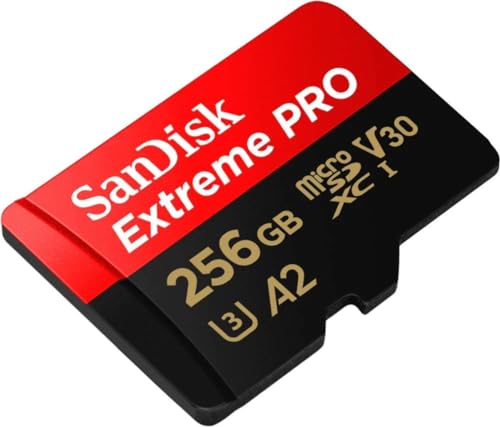
- Waterproof, shock and vibration proof, protected from airport x-rays, temperature...
This is the same card I run in my action cameras, and it’s been through more airport bags and dusty pockets than I’d like to admit. V30, A2 rated, and it has never once dropped a recording on me. If you just want the safe answer, this is it.
SanDisk Extreme (245MB/s) — fastest offloads
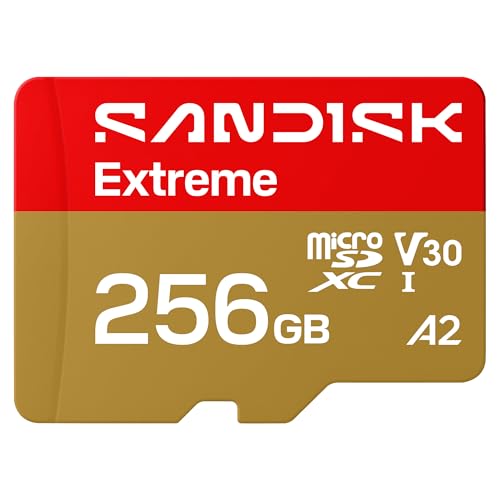
- CAPTURE LARGER THAN LIFE. Unlock startling 5K[3] point-of-view and pristine high-res...
- SPEED BARRIERS SHATTERED. Save precious moments with rapid read speeds up to...
- MAXIMIZE WITH MASSIVE CAPACITY. Record longer and store more with up to 2TB[1] of...

The newer Extreme records exactly as reliably as the PRO, but its 245MB/s read speed is the real upgrade: dumping a full card of 8K footage to your laptop takes noticeably less time. It’s become the most popular card among ProjectGO readers this year, and with 8K files that speed pays for itself fast. If your workflow is shoot, offload, reshoot — get this one.
Samsung EVO Select — the budget pick
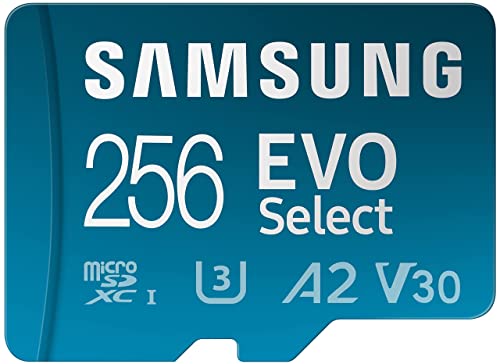
- ALL THE SPACE YOU NEED: Store tons of media on your phone, load games or download...
- FAST AND SMOOTH: With superfast U3, class 10 rated transfer speeds of up to...
- EXPAND AND STORE BIG: Find your perfect fit from 64GB, 128GB, 256GB and 512GB; Select...
The EVO Select is U3 rated and handles the Luna Ultra’s 120Mbps bitrate comfortably. You give up some transfer speed when offloading, but for the price difference you can nearly buy two. A solid choice if the Luna Ultra itself already stretched the budget.
How Much 8K Fits on a Card?
At the Luna Ultra’s full 8K30 Dolby Vision bitrate, the math looks like this: a 256GB card holds about 4.5 hours, a 512GB card about 9 hours, and a 1TB card roughly 19 hours. The 47GB of internal storage adds around 50 minutes — I treat it as the emergency reserve for the moment a card fills mid-shot, not as the main tank.
One habit worth keeping: format the card in the camera, not on your computer. The Luna Ultra formats to exFAT with the right allocation size, and it quietly prevents most of the “card error” complaints you see in forums.
If you’re still deciding on the camera itself, my full Insta360 Luna Ultra review covers what two months of daily use taught me — including the detachable screen workflow that changed how I vlog.
FAQ
No. Insta360 officially recommends against UHS-II and UHS-III cards in the Luna Ultra — they can cause compatibility issues rather than any speed benefit. Stick with a UHS-I card rated V30 or higher.
For about 50 minutes of 8K30 footage, yes — enough for a short outing or as an emergency buffer. For a travel day or a real shoot, you’ll want at least a 256GB microSD card alongside it.
1TB. Insta360 says not to use cards above that capacity, and the card should be formatted as exFAT — easiest done in the camera itself.
The Luna Ultra’s 8K30 Dolby Vision mode records at 120Mbps, which is about 15MB/s. A V30 card sustains 30MB/s minimum, so any genuine V30 card has double the required headroom.
Whichever card you pick, buy it from Amazon directly rather than a third-party marketplace seller — fake SanDisk cards are the most common reason good cameras lose footage. For the full rundown across every camera I test, see my action camera SD card guide.

