The DJI Osmo Action 5 Pro has 47GB of internal storage, which is handy, but it’s not much if you’re into shooting high-quality footage.
High-resolution videos and slow-motion shots take up a lot of space, and that’s where an SD card comes in.
In this article, you’ll find the best SD cards for the Osmo Action 5 Pro and learn why it’s important to choose these specific cards rather than just picking any card off the shelf.
10 Best SD Cards for DJI Osmo Action 5 Pro
After testing several SD cards with the DJI Osmo Action 5 Pro, I’ve compiled a list of the ones that perform best.
Here’s why each brand stands out and why you should consider each card for your DJI Osmo Action 5 Pro:
SanDisk is a leader in memory solutions, providing reliable and high-performance storage. The Extreme UHS-I is an excellent match for the Osmo Action 5 Pro, offering 90MB/s write speeds and 160MB/s read speeds for smooth 4K video recording. Available in sizes from 32GB to 1TB, it’s DJI-certified, ensuring compatibility and excellent performance.
To choose the SanDisk memory card that’s just perfect for you, read:
SanDisk’s Extreme PRO line is tailored for professionals. It offers industry-leading speeds with 140MB/s write and 200MB/s read, perfect for 4K UHD video capture on the Osmo Action 5 Pro. It’s shockproof, temperature-resistant, and available in sizes up to 1TB, making it a high-performance choice for serious videographers.
SanDisk’s Ultra series offers reliable performance with transfer speeds up to 150MB/s, making it a good choice for smooth 4K video recording. It’s available in sizes up to 1TB, ensuring ample storage space for long shooting sessions.
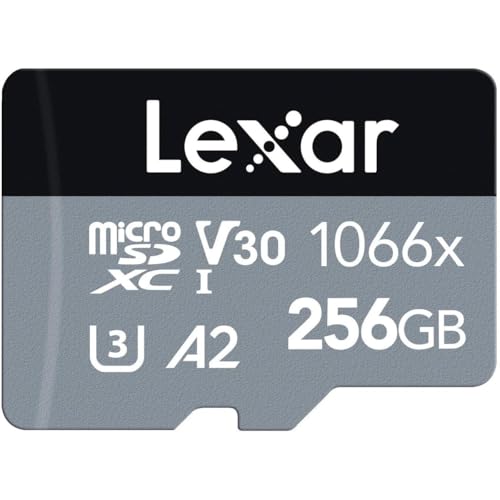
Lexar is trusted by professionals for its high-grade memory products. The 1066x Silver provides excellent performance at 160MB/s read and 120MB/s write speeds. It’s great for capturing high-resolution video and burst photos on the Osmo Action 5 Pro, offering affordability without sacrificing speed. Available in 64GB to 512GB.
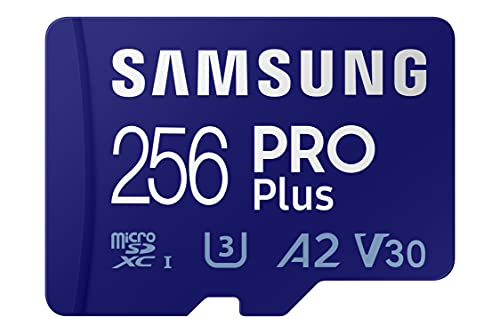
Known for its speed and durability, the Samsung Pro Plus offers 160MB/s read and 120MB/s write speeds, making it a powerful option for seamless 4K video capture. Its high durability and 10-year warranty make it a long-term investment for Osmo Action 5 Pro users.
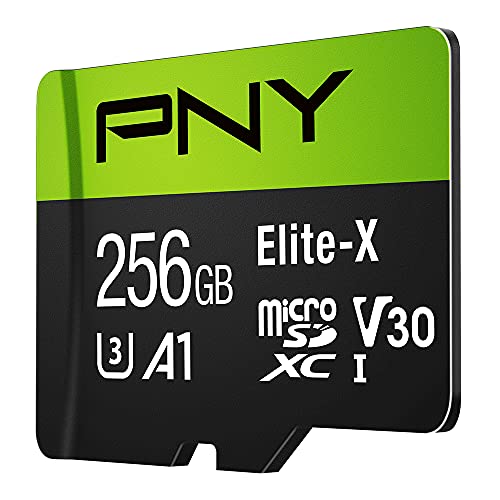
PNY balances speed and affordability, making the Elite-X a smart choice. With 100MB/s read and 80MB/s write speeds, this card is well-suited for 4K video capture on the Osmo Action 5 Pro. Its budget-friendly price makes it a great option for creators looking to save without compromising quality.
Samsung is known for producing durable, high-speed memory cards, making the EVO Select a solid choice. With 100MB/s read and 90MB/s write speeds, this card handles high-resolution 4K UHD video recording with ease. Its rugged design ensures it’s waterproof, shockproof, and temperature-proof—perfect for adventure filming.
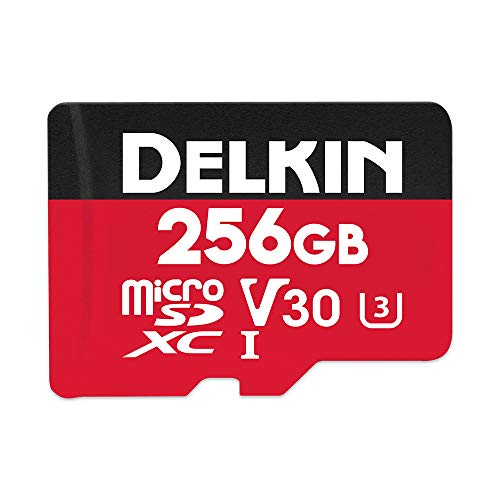
Delkin specializes in cost-effective memory solutions for content creators. The Select V30 provides 100MB/s read and 80MB/s write speeds, which ensure smooth 4K video recording and burst photography on the Osmo Action 5 Pro. It’s rugged and affordable, perfect for action-packed adventures.
Gigastone offers cost-effective yet high-performance storage solutions. The 4K Camera Pro delivers 100MB/s read and 60MB/s write speeds, making it ideal for recording ultra-HD videos with the Osmo Action 5 Pro. It’s budget-friendly and reliable, available in capacities up to 512GB.
How to Choose the Best SD Card for DJI Osmo Action 5 Pro
The DJI Osmo Action 5 Pro can record at an impressive maximum resolution of 4K at up to 120 frames per second (fps), making it a powerful tool for capturing high-quality video, even in challenging conditions.
Its 47 GB of internal storage provides some backup, but it fills quickly at higher settings, which is why a reliable SD card is essential.
In this paragraph, you’ll learn how to choose an SD card for the DJI Osmo Action 5 Pro:
Storage Capacity: Opt for Multiple Smaller Cards
While the camera supports SD cards up to 1TB, it’s often better to use two smaller cards (like 256GB or 512GB) rather than a single large one. Using multiple cards can prevent data loss in case of a card failure, and swapping cards allows for quick backups without carrying a laptop or other device.
47GB Limit on Internal Storage
For reference, the Osmo Action 5 Pro’s internal storage of 47GB can hold around 70-80 minutes of 4K 30fps footage with audio or 35 minutes at 4K 120fps. Higher capacities, like 128GB or more, are generally recommended if you plan on shooting at high resolutions and frame rates throughout the day.
Recording Times
With a 256GB card, you can expect around 7-8 hours of 4K at 30fps or 3-4 hours of 4K at 120fps, which is enough to cover most shoots in a single day.
Speed Class
Given the camera’s high recording resolution and maximum bitrate of 120 Mbps, it’s important to choose an SD card with the right speed class to ensure it keeps up with data demands.
Shortly, opt for a card with a fast write speed to handle 4K video, such as Class 10, U3, or V30 ratings.
Choose a V30 speed class or better, such as V60, to handle the high data rate. A V30 rating means the card can consistently write data at 30MB/s, which is typically sufficient for smooth 4K recording at 60fps. For 4K at 120fps or when capturing in complex scenes, a V60 card can offer additional stability.
UHS-I or UHS-II
Although UHS-II cards are faster, UHS-I with a V30 or higher rating will be sufficient for the Osmo Action 5 Pro. UHS-II is ideal if you plan on transferring data quickly to a computer, but it may be more costly.
Brand Reliability
Choosing a reputable brand can make a difference in the durability and reliability of your SD card.
Popular brands like SanDisk, Samsung, and Lexar are known for high-quality memory products that offer durability features like waterproofing, shockproofing, and temperature resistance. T
hese traits align with the DJI Osmo Action 5 Pro’s rugged build, which operates between -20°C and 45°C, ensuring consistent performance in extreme environments.
Additional Considerations
Durability
For outdoor activities and challenging environments, choose SD cards labeled as waterproof, shockproof, and temperature-resistant to match the camera’s build quality.
Warranty and Support
Some brands offer extended warranties (often up to 10 years), which can be valuable for a product used as intensely as an action camera SD card. Brands like Samsung Pro Plus or SanDisk Extreme PRO are good choices for this level of support.
Cost vs. Performance
While high-speed, large-capacity cards may be pricier, they offer the best performance for the Osmo Action 5 Pro’s advanced features. However, options like the SanDisk Extreme V30 or Samsung EVO Select can provide a solid balance of speed, durability, and price for most everyday shooting needs.
Thanks for reading!
I hope this guide helped you learn everything about the best SD cards for DJI Osmo Action 5 Pro🙂
Sharing is Caring ❤️
If you found this article useful, please share it on social media with your family and friends!
What speed class SD card do I actually need for the Osmo Action 5 Pro?
At minimum, look for a V30 rated microSD card, which guarantees a sustained 30MB/s write speed and handles the Action 5 Pro’s 4K60 footage without dropped frames. If you shoot a lot of 4K120 slow motion or busy, high-detail scenes, I’d step up to a V60 card for extra headroom. UHS-I with a V30 rating is plenty here, since this camera doesn’t take advantage of UHS-II’s extra speed.
Can I reuse SD cards from my Osmo Action 3 or 4 in the Action 5 Pro?
Yes, as long as those cards meet the V30 minimum, they’ll work fine. I’ve swapped cards between my Action 3, 4, and 5 Pro without any issues since DJI hasn’t changed the microSD slot or format requirements across these models. Just double check any older, slower cards you bought years ago for basic 1080p shooting, since those often fall below V30.
Does the Osmo Action 5 Pro really support up to 1TB microSD cards?
Yes, DJI officially lists support for microSD cards up to 1TB on the Action 5 Pro. I still prefer running two 256GB or 512GB cards instead of one 1TB card, since that limits how much footage I’d lose if a single card ever fails or corrupts mid-shoot.
Is it worth paying more for a UHS-II card like the SanDisk Extreme Pro?
For recording, not really, a UHS-I card rated V30 or higher easily keeps up with the Action 5 Pro’s 120Mbps max bitrate. Where UHS-II pays off is on the transfer side, since it speeds up offloading hours of 4K footage to your computer. If you edit a lot and hate waiting on file transfers, it’s worth it, but it won’t improve in-camera recording quality.
How much storage does the Osmo Action 5 Pro’s internal memory actually give me?
The camera ships with 64GB of built-in storage, but only about 47GB of that is usable for your footage once the system and firmware take their share. That’s roughly 70-80 minutes of 4K30 or about 35 minutes of 4K120, so I still treat it strictly as a backup and always carry a proper SD card.
Should I buy one large SD card or two smaller ones for the Action 5 Pro?
I almost always recommend two smaller cards, like a pair of 256GB or 512GB cards, over one big 1TB card. That way, if one card fails or fills up mid-shoot, you can swap in the second without losing everything, and it makes backing up footage on the go much easier.
I’m Andy Magri, an Italian filmmaker and content creator. Together with my team, I share hands-on reviews and tutorials on GoPro, DJI, Insta360, drones, and everything content creation. Our guides have helped over 2M creators worldwide — and I hope they help you find the right gear and get out there and create. Start with my free GoPro Settings Cheat Sheet.
GoPro Hero 13 vs Insta360 Ace Pro 2: Which One Wins?
DJI Osmo Action 5 Pro SD Card Size & Speed
ProjectGO is reader-supported. As an Amazon Associate, we earn from qualifying purchases made through links on this site — at no extra cost to you.